

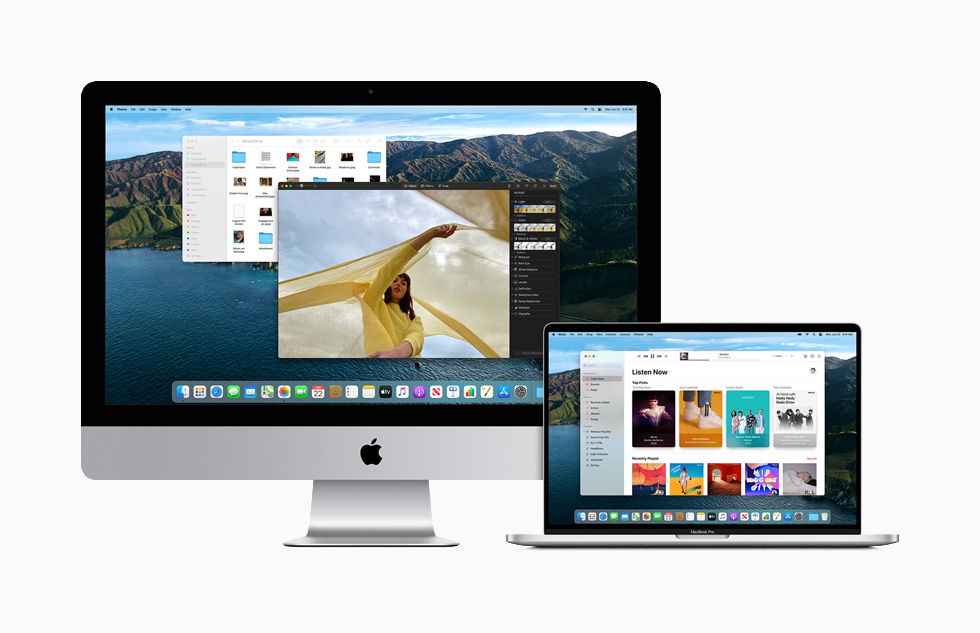
Apple previewed the latest edition of macOS codenamed “Big Sur” at the WWDC 2020 conference. The event has been held as an online-only event because of the COVID-19 pandemic. The macOS Big Sur features an improved design with enhanced features for Safari and Messages.
Apple has termed the new macOS Big Sur design as spacious, which enables you to perform easy navigation. As a user, you will have more control over the management of the operating system. The company has refreshed the curvature of window corners to the palette of colors and related materials.
Refreshed Dock icons
With macOS Big Sur, the Dock icons are redesigned to work with consistency with icons across the entire Apple ecosystem. However, the company has retained the Mac UI, which is designed not only to reduce visual complexity but also to bring users content front and center.
Improved control center
The newly designed Control Center in the macoS Big Sur provides quick access to controls right from your desktop. The Notification center has been updated with interactive notifications coupled with redesigned widgets in various sizes to match the design of iOS 14.
Enhanced Safari
Apple has announced that the new Safari update is the biggest since its launch in 2003. You will find the presence of redesigned tabs, which make navigation faster including default display of the favicons. The Safari start page can be customized with a background image and sections such as a Reading List and iCloud Tabs. You can easily translate the language using the integrated translation tools with support for seven languages from within Safari.
The Safari update included with macOS Big Sur ships with a new Privacy Report. The report enables you to gauge how Safari protects browsing activity across the web. You will be able to choose when and which websites a Safari extension can work with.
Apple has introduced pinned conversations and refined search functionality in Messages. The macOS Big Sur provides support for screen effects. Moreover, users will be able to create and customize their memoji on a Mac. You will find a new photo picker and #images support in conversations.
You can easily share GIFs on the macOS Messages app without a third-party app. The Group messaging functionality includes streamlined conversations with inline replies and @mentions. This will enable you to tag your friend or colleague with the relevant specific text or content. You can also configure a photo or an emoji for performing group conversations. The macOS Big Sur will be available as a free software update by fall 2020. If you are part of the Apple Developer Program, you can download the update right now. The company is slated to launch a public beta in July 2020.

more recommended stories
 Odysseus Lunar South Pole Odyssey: Historic Mission in Tilted State
Odysseus managed to land on the.
-
Odysseus Makes History: Soft Landing on Moon Ends 50-Year American Lunar Hiatus
The United States marked a historic.
 Microsoft’s Copilot in Windows Now Manages System Settings and Accessibility with Ease
Microsoft has announced a new runtime.
 Microsoft Copilot: A Year of Enhancing Productivity and Unleashing Creativity
Microsoft Copilot is celebrating its birthday..
 Chandrayaan-3: NASA’s Laser Beams Confirm Vikram Lander as Lunar Focal Point
The Vikram lander of Chandrayaan-3 has.
 Microsoft Unveils Copilot Pro: Elevating AI Capabilities for Microsoft 365 Users
Microsoft has rolled out Copilot Pro.
 India Blocks Access to Binance, Kucoin, and OKX For Financial Violations
Google has removed access to foreign.
-
ISRO and SpaceX Join Forces: GSAT-20 to be Launched via Falcon-9
ISRO has established a strategic partnership.
-
Microsoft Copilot Android app now available: Check out how it works
Microsoft recently released Copilot Android app.
-
Microsoft Copilot Android app Quietly Lands on Google Play: What You Need to Know
Microsoft Copilot Android app is now.
Leave a Comment